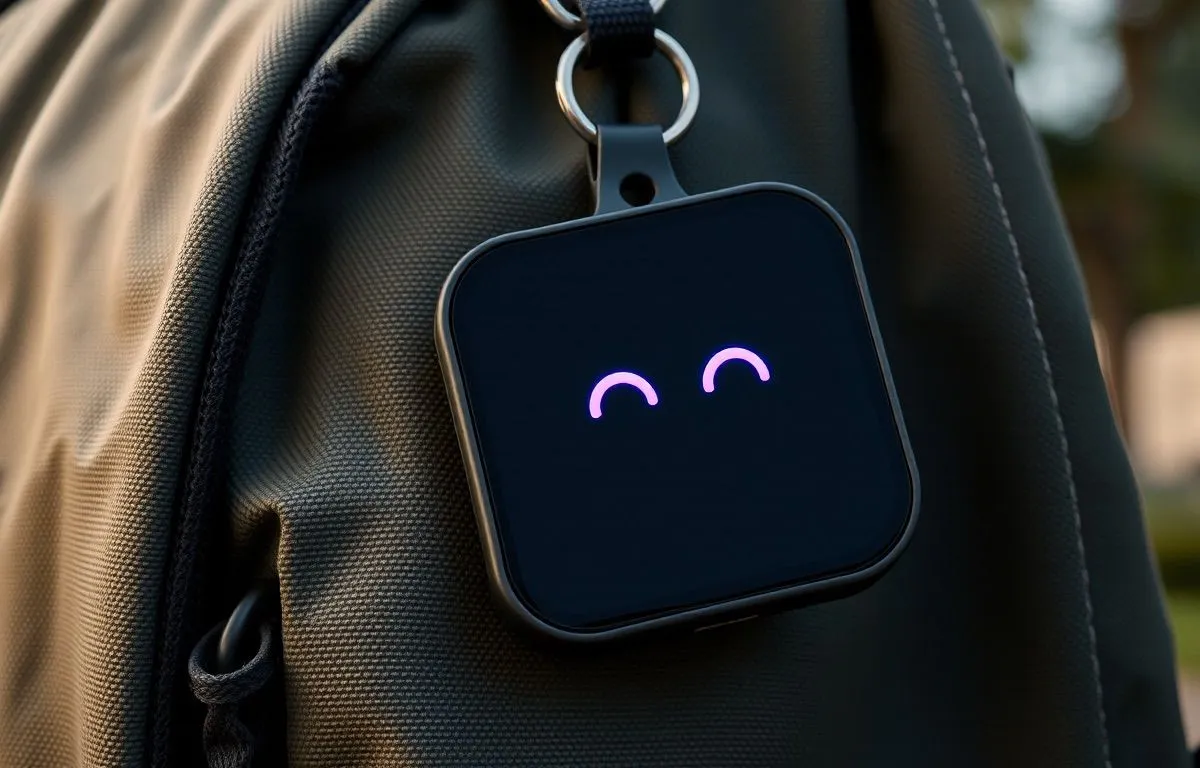
TOFU is a wrist-sized door into Hermes. Talk to save a note into the vault, ask a quick question and hear the answer, hand a task to the full agent, or glance at the feed. A purple-eyed pet lives on the home screen and reacts when there’s news or notes are syncing. Everything runs on the studio’s Mac at home; nothing goes to the cloud. If it goes missing, you can make it ring from the Mac, and a robot in the Agent Village shows where it was last seen.
Hold TOFU
Drag to turn the watch. Swipe its screen sideways to change screens and tap things the way you would on your wrist. Everything on it is example data.
Five screens in a row
Swipe left and right to move between them. The watch always comes back to the pet when the display turns off.
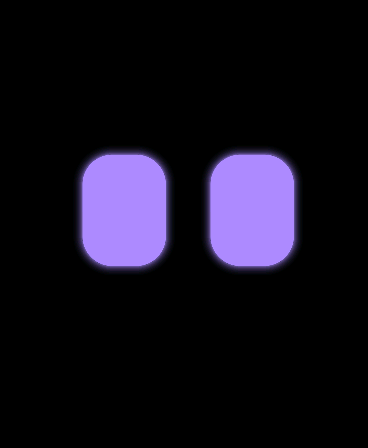
1 · HOME
Pet Glow, the pet. News and sync status.
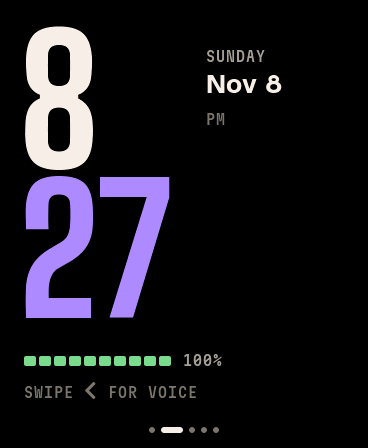
2
Clock Time, date, battery.
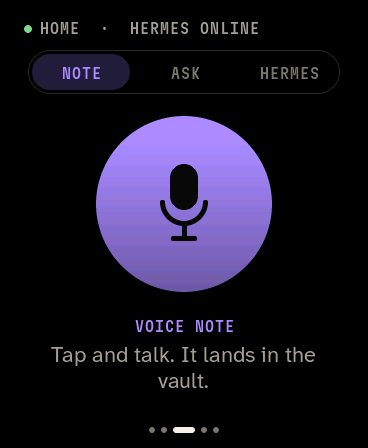
3
Voice Notes, quick questions, Hermes tasks.
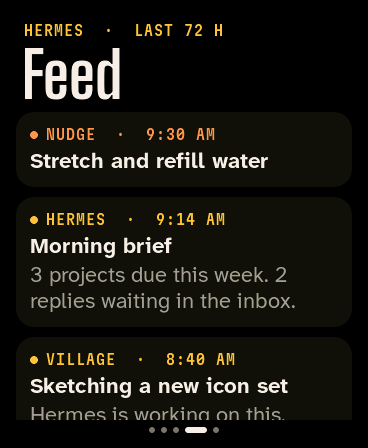
4
Feed The last 72 hours from Hermes.
5
Actions One-tap questions and jobs.
Swipe sideways anywhere, including over the pet’s face. Up-and-down movement on the face goes to the pet.
What every control does
Two physical keys on the right edge, plus touch and motion. The buttons work from any screen, even with the display off.
What each screen does
Idle · News from Hermes · Syncing notes
1 · Home
Pet
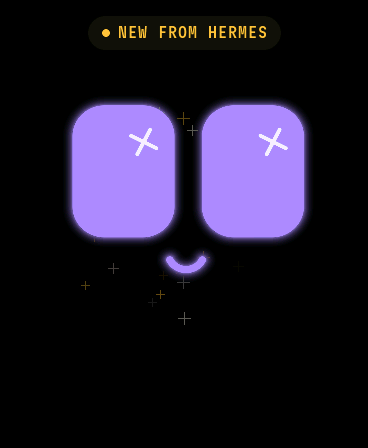
Glow is TOFU’s face: two glowing purple eyes that squash, bounce and look around. It’s the home screen, with no dots or clock, just the face.
It reacts to
- News from Hermes: star eyes and hops, with a NEW FROM HERMES label. The watch checks for new feed items every 3 minutes at home. If the screen was off, the pet celebrates when you next wake it.
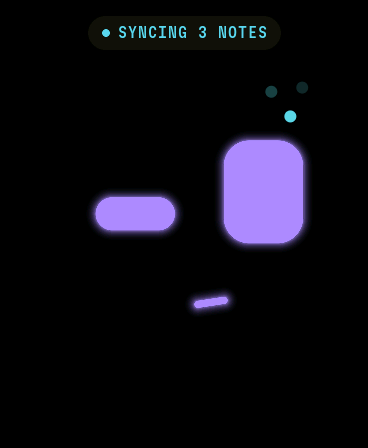
- Notes syncing: a thinking face with SYNCING N NOTES, then NOTES SYNCED and a happy face.
- Being left alone: after about 10 seconds the eyes droop and z’s float up.
You can
- Tap to poke it.
- Rub up and down to pet it.
- Drag up or down and let go to fling it.
- Shake your wrist to make it dizzy.
- Press the bottom button from anywhere to come back to it.
2
Clock
The time at a glance: hours stacked over minutes, the date beside them, and the battery underneath.
Reading it
- The minutes take the color of the voice mode : purple for NOTE, cyan for ASK, gold for HERMES. You can tell the mode from the time.
- Battery bar: green above 30%, orange at 30% or less, red at 15% or less, cyan while charging. It shows USB POWER when no battery reading is available.
Behind it
- The time syncs from the internet over Wi-Fi and is kept by the watch’s own clock chip in between. The time zone is Pacific.
- When the display turns on, the digits rise into place.
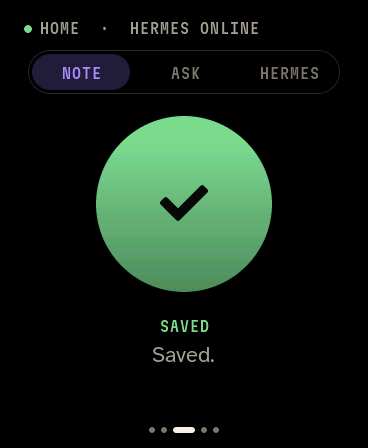
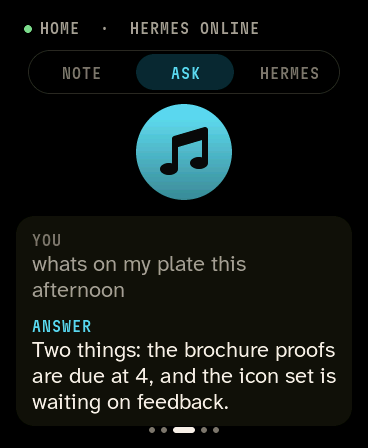
Ready · Recording · Saved · Answer (example text)
3
Voice
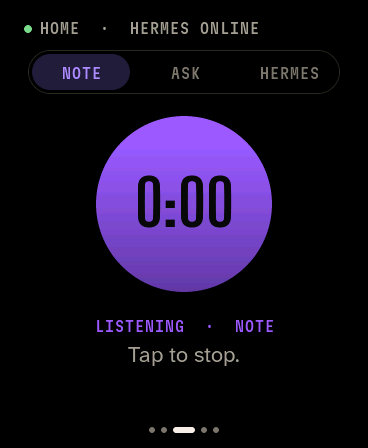
Talk to Hermes. Tap the big button, speak, and tap again. What happens next depends on the mode switch at the top.
| Mode | What a recording does | Speed | You get |
|---|---|---|---|
| NOTE | Saved on the watch, then synced to the Mac, transcribed and filed as a note in the vault. | 10 to 40 s after syncing | A daily note in the vault and a chat ping |
| ASK | A quick question for the fast local model (no tools). | About 3 to 5 s | The answer spoken aloud and shown on screen |
| HERMES | A task for the full Hermes agent, with its tools, memory and skills. | Up to minutes | The answer spoken and shown, also sent to Telegram |
The status line
- HOME · HERMES ONLINE : on home Wi-Fi and the Mac is answering.
- HOME · MAC OFFLINE : on home Wi-Fi but the Mac isn’t answering.
- AWAY : not on home Wi-Fi. Notes still work: they wait on the watch. N WAITING shows how many.
Good to know
- The button turns violet while recording, with the timer inside.
- Recordings shorter than about 1 second are thrown away. The limit is 2 minutes.
- Notes made away from home are dated by when you recorded them, not when they reach the Mac.
- ASK and HERMES need home Wi-Fi.
- If the Mac’s ask bridge doesn’t answer, the watch asks the Mac to restart it, shows Waking the ask bridge… and tries again about 8 seconds later. If that fails too, tap to retry asks again.
4
Feed
What Hermes has done in the last 72 hours, newest first. Scroll up and down to read more.
Card colors
- HERMES : results of Hermes’ scheduled jobs.
- NOTE : voice notes after they’ve been filed.
- ASKED : questions you asked from the watch.
- NUDGE : a reminder sent from the Agent Village. The watch beeps when one arrives.
- VILLAGE : Hermes news that TOFU picked up from the village notice board.
Updates
- Reloads when you open it, and every 5 minutes while it’s open.
- A new HERMES or NOTE item also makes the pet excited, even when you’re on another screen.
5
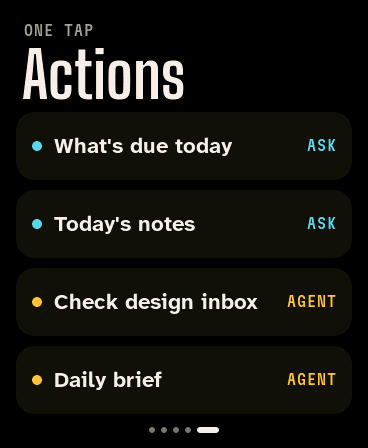
Actions
One-tap shortcuts. The tag on the right says which engine answers.
| Button | Engine | What it does |
|---|---|---|
| What’s due today | ASK | Reads the studio project list and lists what’s due or overdue. |
| Today’s notes | ASK | Summarizes today’s voice notes. |
| Check design inbox | AGENT | Hermes checks the design mail inbox. |
| Daily brief | AGENT | Hermes writes the day’s brief. |
The list lives in a small settings file on the Mac. Edit it and the watch picks up the change the next time you open this screen, with no reflashing.
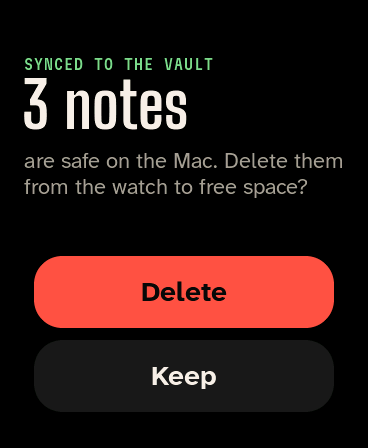
Pop-up
Synced notes
After notes recorded away from home reach the Mac, the watch asks whether to delete its copies.
Choices
- Delete frees space on the watch. The notes are already safe on the Mac.
- Keep leaves them. They’re removed automatically only when a new recording needs the room.
Storage
- The watch holds about 21 minutes of notes.
- The Mac always keeps its own copy of each recording.
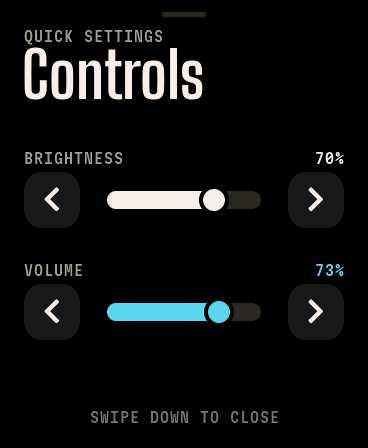
Full screen
Controls
Swipe up from the very bottom edge of any screen. Tap the arrow either side of a meter to step it 10% (hold to keep stepping), or grab the round handle on the meter and drag it. Touching the meter away from the handle does nothing.
Levels
- Brightness sets the screen level (10 to 100%). Dimming after 15 s scales with it.
- Volume sets the speaker level, and changes a reply that’s already playing. Each step plays a short tone at the new level.
Closing
- Swipe down anywhere on it.
- It also closes when the screen turns off. Both levels are remembered across restarts.
If TOFU goes missing
Three full-screen moments sit on top of everything else. Each one fades from black into a soft glow in its own color, so you can tell them apart at a glance.
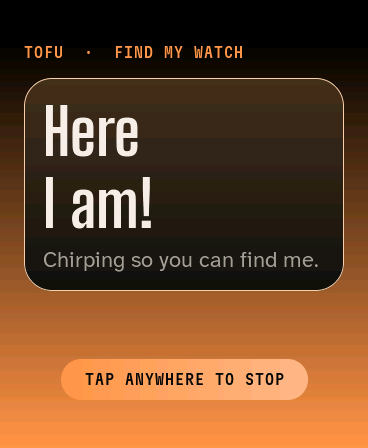
Rung from the Mac
Find my watch
A loud two-tone chirp at full volume, whatever the volume setting, and an orange glow that pulses. It keeps going for 2 minutes. Tap anywhere or press the bottom button to stop it.
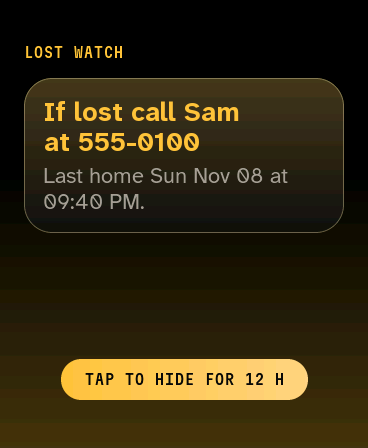
24 h away from home Wi-Fi
Lost watch
Shows who to call and when it was last home, every time the screen is on. A tap hides it for 12 hours. It clears itself as soon as the watch gets home.
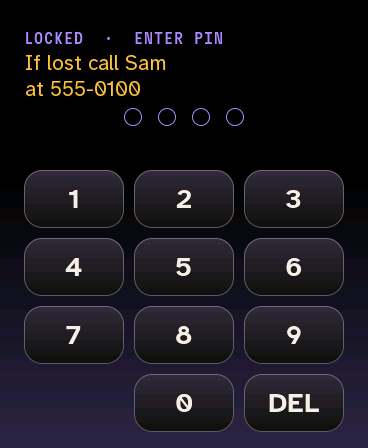
24 h untouched
Locked
Asks for its PIN before it can be used. Ringing from the Mac still works, and notes keep syncing. The top button only wakes the screen. Five wrong tries mean a 30 second wait.
Make it ring from
Agent Village
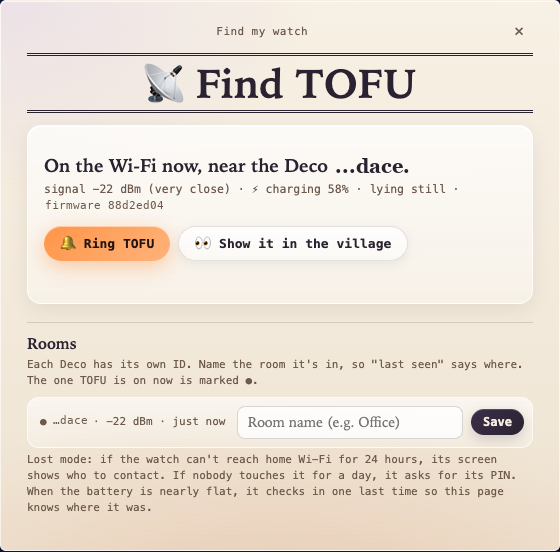
The 📡 button under the villagers opens Find TOFU. Press Ring TOFU.
Hermes
Say or type “find TOFU” on Telegram.
How it works
- The watch checks in with the Mac every 30 seconds. The ring request rides on the reply, so it starts within about 30 seconds.
- A request waits 10 minutes for the watch to check in. If it’s off the Wi-Fi it can’t ring: the panel shows where it was last seen instead.
Where it was last seen
- Each check-in says which mesh Wi-Fi point it’s connected to and how strong the signal is. Name each point’s room once in the Find TOFU panel.
- At 5% battery it checks in one last time, so you know where it switched off.
The Agent Village, updates and the ask bridge
Whenever TOFU is on the home Wi-Fi, a little rolling robot with purple eyes appears in the Agent Village and acts out what the watch is doing.
The robot
- Notes: carries an envelope to the Post Office for each note, or a stack after time away. A thought cloud floats over it while the note is transcribed, then it files the title at the Library.
- Questions: rolls over to Milo, who answers in the chat.
- The watch itself: copies the pet’s mood, slows down on low battery, parks at the charger when plugged in and naps when your wrist is still.
- Click it to send a nudge to the wrist.
Updates over Wi-Fi
- New firmware reaches the watch at home without a cable. It installs when idle with at least 25% battery (or charging) and restarts.
- A new version is on trial until it reaches the Mac. If it crashes or can’t reach it within 15 minutes, the watch goes back to the previous one.
Keeping the ask bridge up
- The ask bridge on the Mac answers ASK, HERMES, quick actions and the feed. It starts when the Mac does and restarts itself if it crashes.
- If it stops answering without crashing, the Mac notices on the watch’s check-ins and restarts it. Two missed checks in a row trigger it.
- The watch can ask too: when a question, action, the feed or the actions list gets no answer, it asks the Mac to restart the bridge, then tries once more.
How it behaves on its own
15 s of no touches and the display dims.
30 s and it turns off, returning to the pet.
3 min between checks for news from Hermes while at home.
~21 min of notes can wait on the watch away from home.
2 min of chirping when you ring it from the Mac, unless it’s tapped first.
24 h untouched and it asks for its PIN.
24 h away from home Wi-Fi and it shows who to call.
8 s after waking the Mac’s ask bridge, the watch tries your question again.
The display stays on while you’re recording, waiting on an answer or listening to one.
What’s inside
TOFU is a Waveshare ESP32-S3-Touch-AMOLED-1.8 (hardware V1.0), bought as the listing “ESP32 S3 Development Board 1.8 inch AMOLED Display, TouchScreen, QMI8658, MIC, Audio, LVGL, AI Voice Programmable Watch”. Every part below was checked against the board’s support package and TOFU’s firmware.
368 × 448 1.8” AMOLED. Black pixels are fully off.
240 MHz ESP32-S3, two cores. Wi-Fi 2.4 GHz only, plus Bluetooth LE.
8 MB PSRAM for buffers and audio, with 16 MB of flash.
6-axis QMI8658 motion sensor: raise to wake, shakes, the pet’s lean.
| Part | Chip | What TOFU uses it for |
|---|---|---|
| Display | CO5300 over QSPI | Every screen. 16-bit color. |
| Touch | FT3168 or CST816S | Taps and swipes. The chip varies by batch; the firmware detects which. |
| Audio | ES8311 codec + amp | The microphone for notes and questions, and the speaker for answers, beeps and the find-my-watch chirp. |
| Power | AXP2101 | Battery level, charging, and the bottom button. |
| Clock | PCF85063 | Keeps the time between Wi-Fi syncs. |
| Expander | TCA9554 | The display’s reset lines. |
| Keys | BOOT and PWR | Top records a note. Bottom stops audio, wakes the pet and stops ringing. |
| Port | USB-C | Charging, plus flashing and the debug shell. Updates otherwise arrive over Wi-Fi. |
Good to know
- It only sees 2.4 GHz Wi-Fi networks.
- After a soft restart the screen stays black unless the firmware pulses the display reset lines. TOFU does this at startup.
- Very large memory buffers starve the display and tear the screen, so TOFU caps answer audio at about 65 seconds.
More detail
- Maker’s wiki: waveshare.com/wiki/ESP32-S3-Touch-AMOLED-1.8